Where Did My Passport Scan Go?
A small story about file converters, the websites we trust without thinking, and doing the same job without letting go of the file.
A note before we start: I'm part of Technocrux, the team that makes ConverteXe. This is about why it exists and what using it feels like, limits included.
It's 11:40 at night, and the visa form wants a PDF.
The passport scan is a HEIC photo from your phone. The bank statement is a JPEG. The upload box says "PDF only, max 2 MB", in the small grey text that always seems to show up at the worst possible time.
So you do what almost everyone does. You search "heic to pdf", click the first result, and drag your passport into a website you've never heard of. A progress bar. A download button surrounded by ads. It works.
It's only the next morning that the obvious question arrives: where did that file actually go?
The part nobody reads
Most free converter sites are perfectly well-meaning. But the whole deal is that your file leaves your computer, gets processed on theirs, and comes back. What happens to the copy is written in a privacy policy nobody reads at 11:40 at night.
For a meme, that's fine. For a passport, a payslip, a signed contract or a medical letter, it's worth thinking about for more than a second.
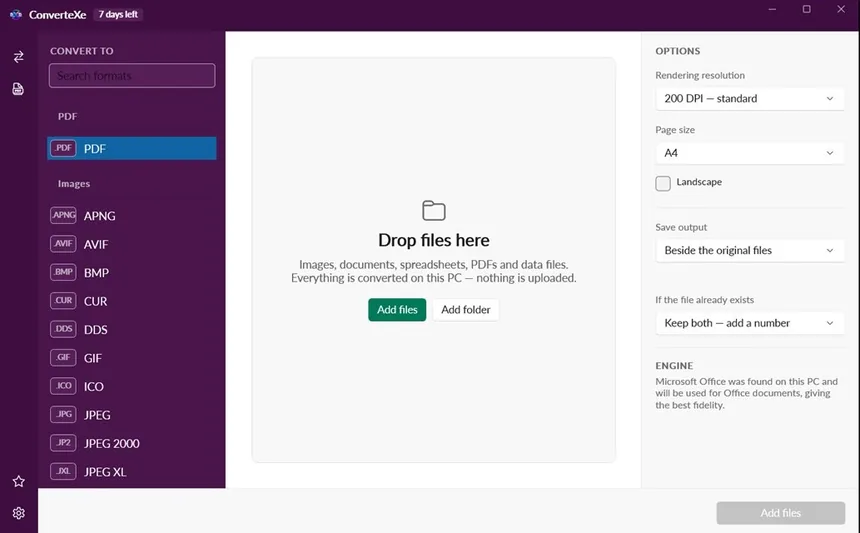
ConverteXe exists because the same conversion can happen on your own machine. No upload, no account, no waiting in a queue behind other people's files.
Doing it again, the other way
Here's the same night, replayed. You open ConverteXe, choose PDF on the left, and drag in the HEIC photo and the JPEG. HEIC photos from iPhones just work, with no codec to go and buy. You click convert. The PDFs appear next to the originals.
If the file's still too big, there's a compress option in the PDF tools, along with merge, split, rotate, and adding or removing a password. Those are the things you'd normally find on five separate websites, each with its own upload button.
When it's not one file, but four hundred
The visa form is the dramatic version. The everyday version is quieter: a folder of product photos that need to be JPEG instead of PNG, a stack of scanned receipts, a CSV someone needs as JSON by lunch.
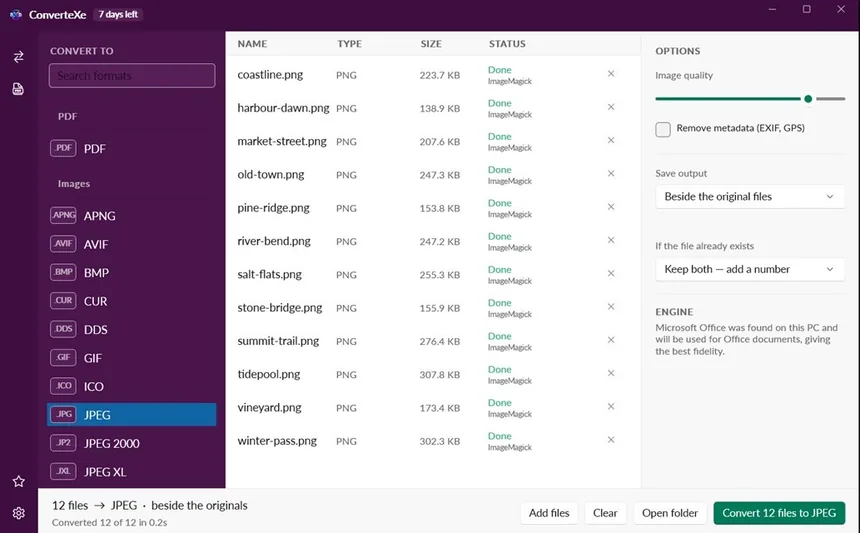
You can drop in hundreds of files, or a whole folder, and ConverteXe works out what each one can become. If one file is broken, it doesn't stop the rest. If a file with the same name already exists, it adds a number instead of overwriting. Nothing you already have gets destroyed, which is the one rule a bulk tool should never break.
For developers and analysts, the quiet hero is the data side: CSV, Excel, JSON, XML and YAML, in any direction. It replaces a surprising number of throwaway scripts.
It tells you what it did
There's a screen I like more than I probably should.
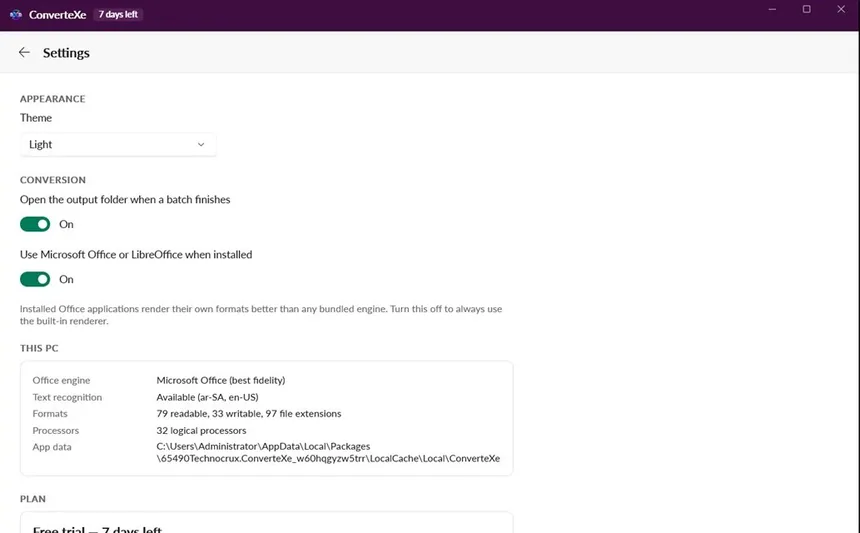
When you convert Word, Excel or PowerPoint files, ConverteXe uses Office or LibreOffice if you have one installed, because they render their own formats best. If you don't, it uses its built-in engine. Either way, it tells you which one it used. When a document looks slightly off, knowing why is half the fix.
The honest limits
PDF to Word is the conversion everyone wants and no tool does perfectly. A PDF isn't really a document. It's a set of instructions for where to put things on a page. ConverteXe gets you editable text and real tables back. It won't give you a pixel-perfect copy of a brochure, and the app says that plainly.
The free version handles all image and data conversions, PDF to image, and Markdown, five files at a time. The heavier jobs, like PDF to Word, text recognition from scans, HEIC, camera RAW, Office to PDF, the full PDF toolkit and unlimited batches, are in Pro. Everything is unlocked for the first seven days, with no card needed. And it's Windows only.
11:40, again
Nights like that usually end fine. Nothing bad happens, as far as anyone knows. But "as far as anyone knows" isn't a great place to leave a passport.
With the conversion happening locally, the file goes from your phone, to your PC, to the form. It doesn't take a detour anywhere else.
ConverteXe is on the Microsoft Store for Windows.