
Think out loud. It arranges itself.
A keyboard-driven mind mapping app for Windows, with tree charts, org charts and true Ishikawa fishbone diagrams built in. Maps are saved on your PC as plain JSON.
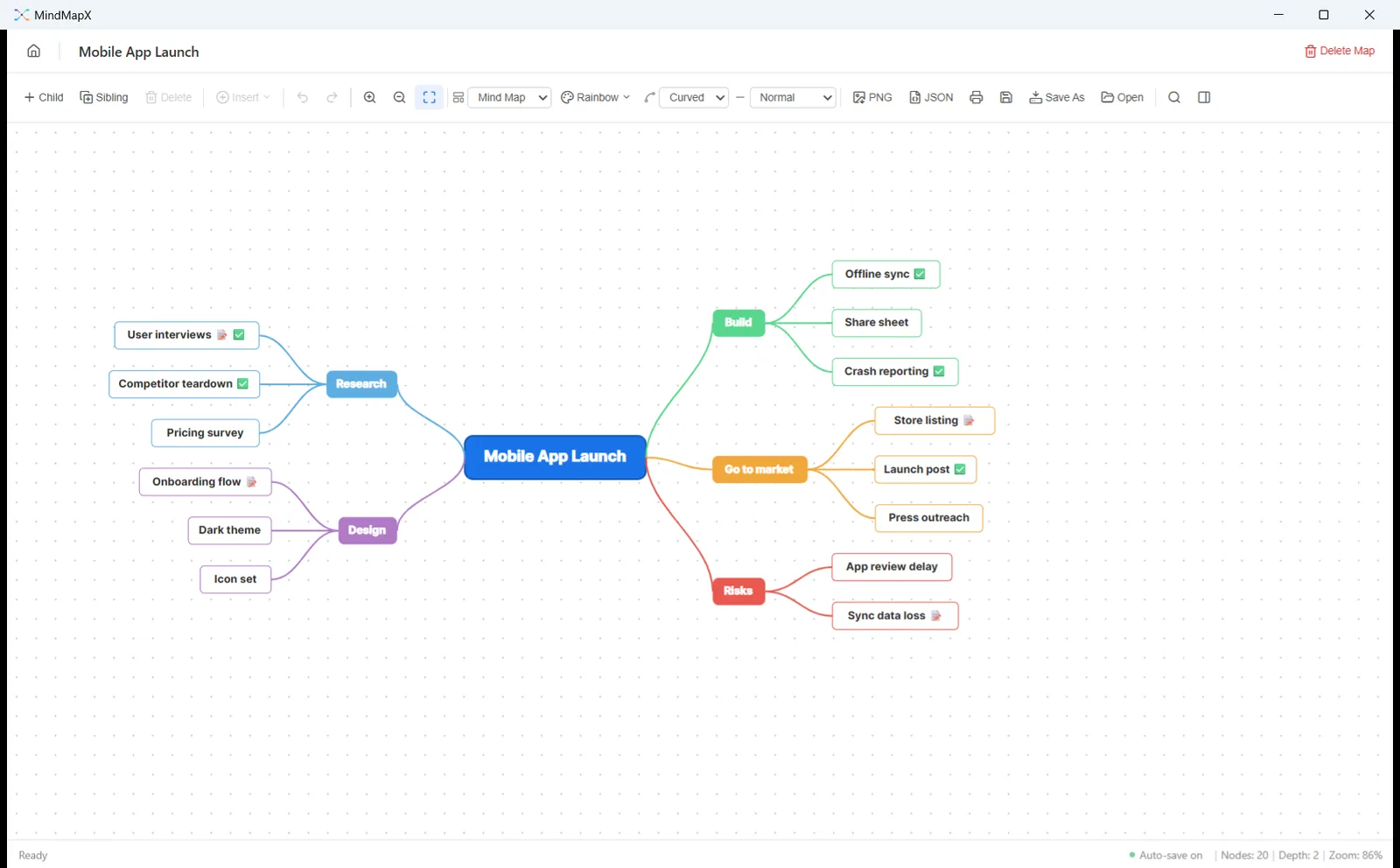
Most diagramming tools make you draw. You have the thought, and then you spend the next minute finding the right box, dragging it into place and drawing a line to it. By the time the box is where you wanted it, the thought has gone.
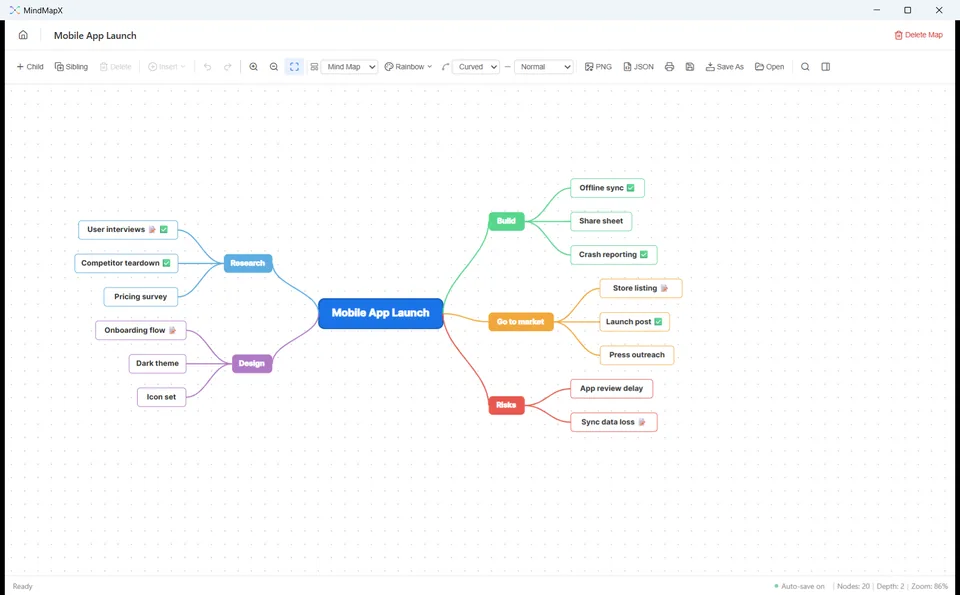
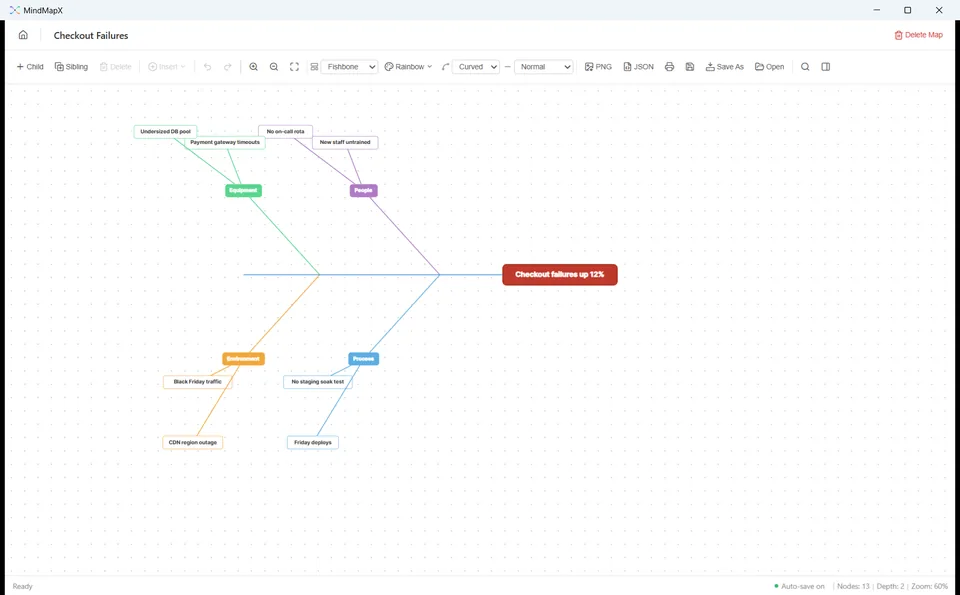
MindMapX puts the keyboard first. Type a thought, press Tab for one underneath it, Enter for the next one alongside. The layout rearranges itself as you go, so the map keeps up with you instead of the other way round. When the shape of the thing changes, switch it: the same topics become a tree chart, an org chart or a real spine-and-bones fishbone without being rebuilt.
Four layouts, one map
Mind map, tree chart, org chart and a true Ishikawa fishbone. Switch at any time; nothing is rebuilt.
Built for the keyboard
Tab for a child, Enter for a sibling, F2 to rename, arrow keys to walk the map. The layout follows.
More than labels
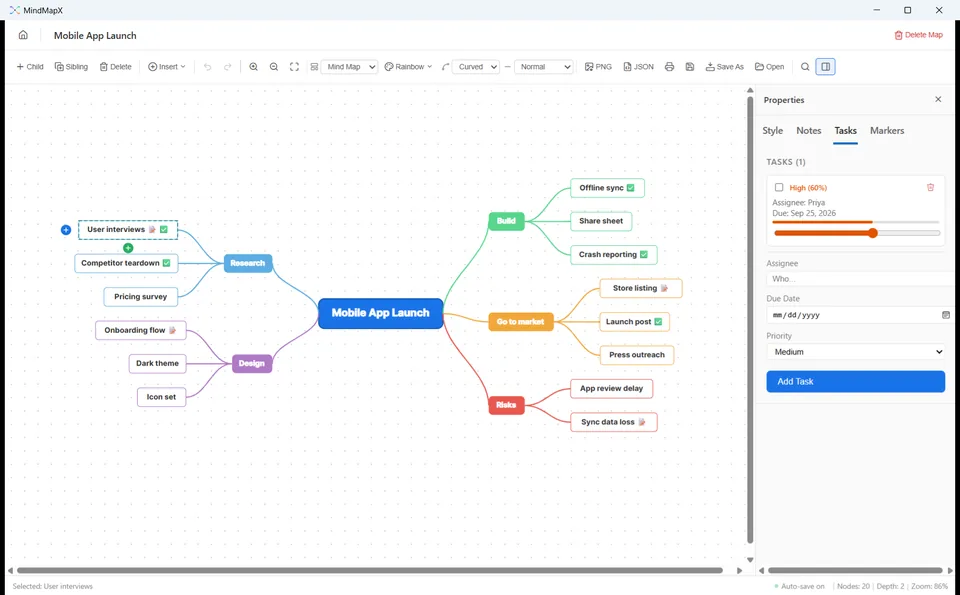
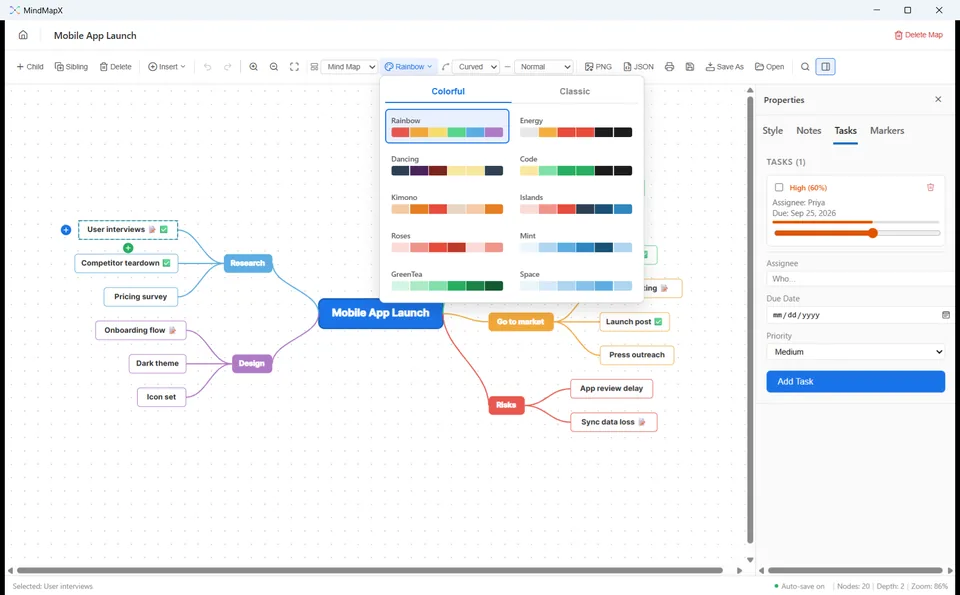
Notes, tasks with an owner and a due date, emoji markers, around 160 icon stickers, images and 30-second voice notes.
Your maps are files
Saved on your PC as readable .mflow JSON, auto-saved every 30 seconds, exported to PNG or printed when someone else needs them.
A closer look
Everything it does
Structure
- Mind map, tree chart, org chart and Ishikawa fishbone layouts
- Tab, Enter, F2 and arrow keys to build and move around
- Undo and redo for structural edits
- Live search that highlights every match and jumps to the first
Looks
- Nineteen colour themes across Colorful and Classic palettes
- Eight shapes, ten fonts, sizes 8 to 72, and per-topic text, fill and border colours
- Curved, straight, elbow, dashed or dotted branches in four thicknesses
- Boxes size themselves to their text and wrap long labels
Topics and files
- As many plain-text notes per topic as you need
- Tasks with an assignee, due date and priority
- Emoji markers and around 160 searchable icon stickers
- An image from your PC, or a voice note of up to 30 seconds
- Saved as readable .mflow JSON, auto-saved every 30 seconds
- Export a PNG or print it; signing in is the only step that needs a connection
Free for 7 days, then $0.99/month or $8.99/year
No card needed to start the trial. Billed through the Microsoft Store, cancel any time. An account signs you in and carries your licence; your maps stay on your PC.
- Platform
- Windows 10 and 11
- Category
- Productivity
- Publisher
- Technocrux, on the Microsoft Store
- Legal
- Privacy policy and terms of use
More from DevRide
 WhisperFlowHold a key. Talk. Get clean text.
 CutePetsA companion that lives on your taskbar.
 ConverteXeConvert almost anything. Nothing leaves your PC.
 MeeteXeRecord the meeting. Get the email.
 RecordeXeRecord it. Polish it. Ship it.
 CodeZipperZip your code, not its dependencies.
 PomodoroProFocus while a masterpiece paints itself.
 HourlensSee where your hours go, without starting a timer.
 PostDeckWrite once, tailor per platform, get reminded on time.
 TallywiseAll your money in one private place.
 Lever PanicA trolley is coming. You have a lever.