Zip your code, not its dependencies.
Archive a project without node_modules, bin, obj or .venv. CodeZipper reads every .gitignore, recognises 40+ project types, and shows you every file before it writes the archive.
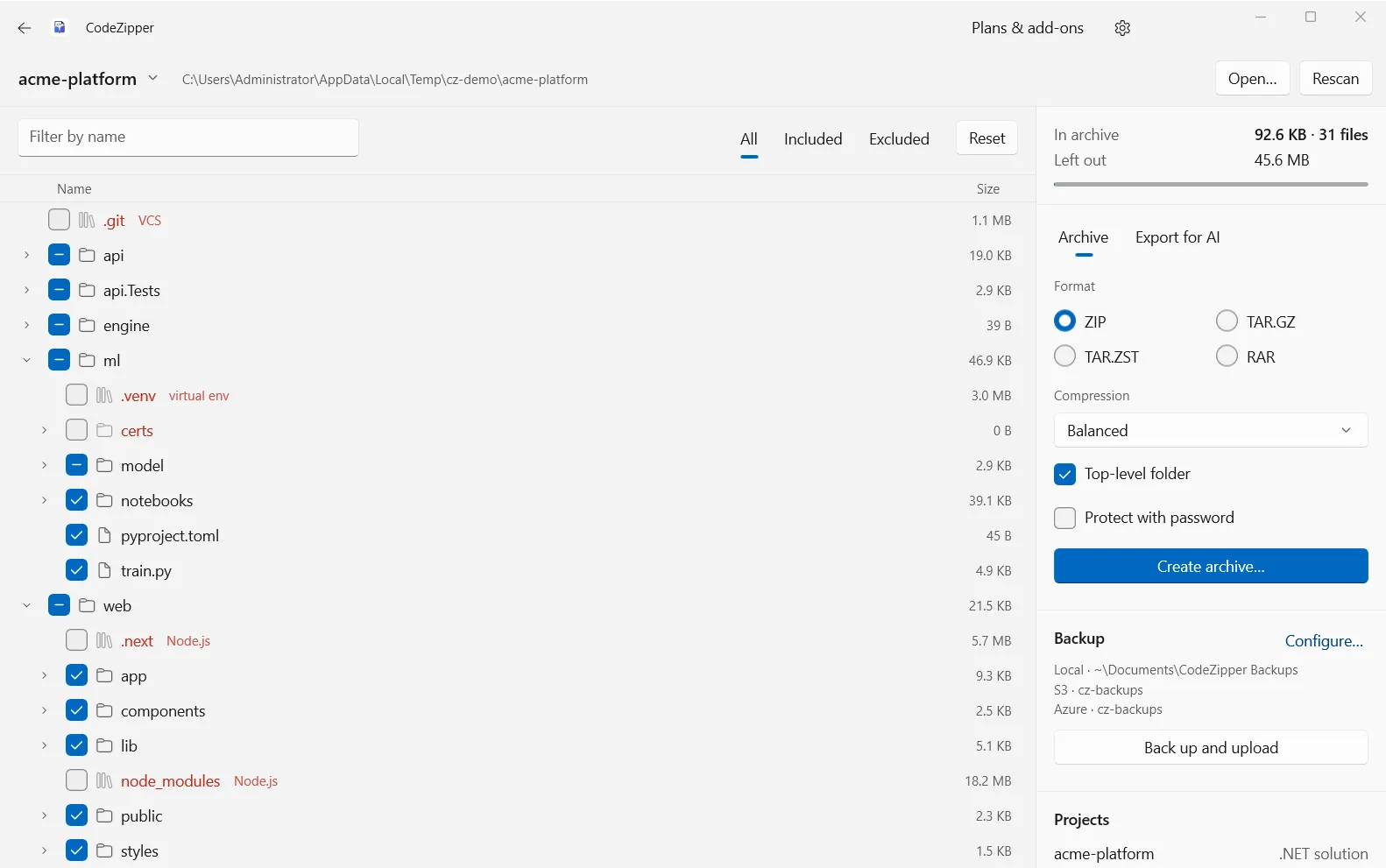
Sending a project to a colleague, a client or an AI assistant should not mean shipping two gigabytes of node_modules. CodeZipper opens a folder, reads every .gitignore in it, works out what each sub-project of a monorepo is built with, and leaves the dependencies and build output behind.
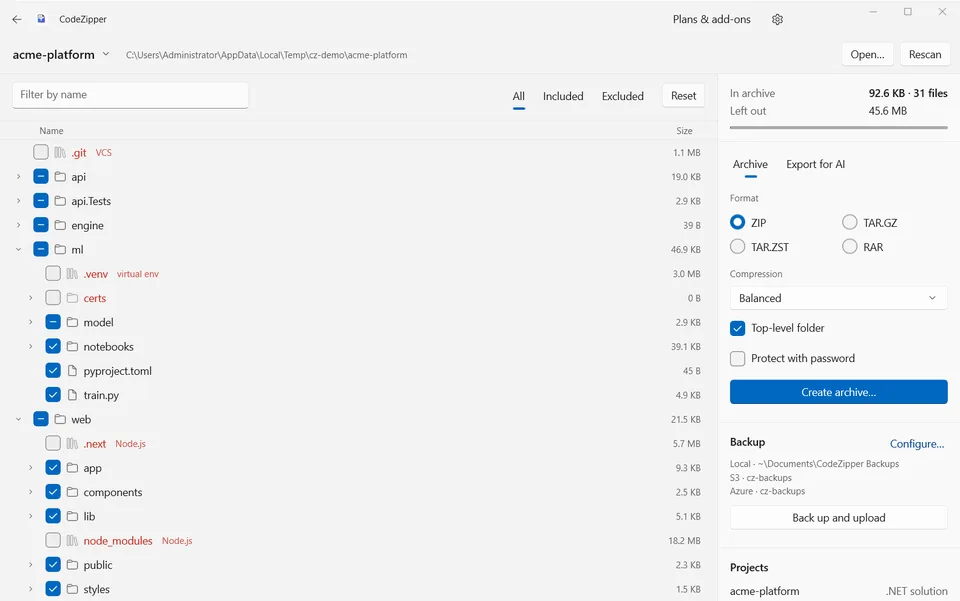
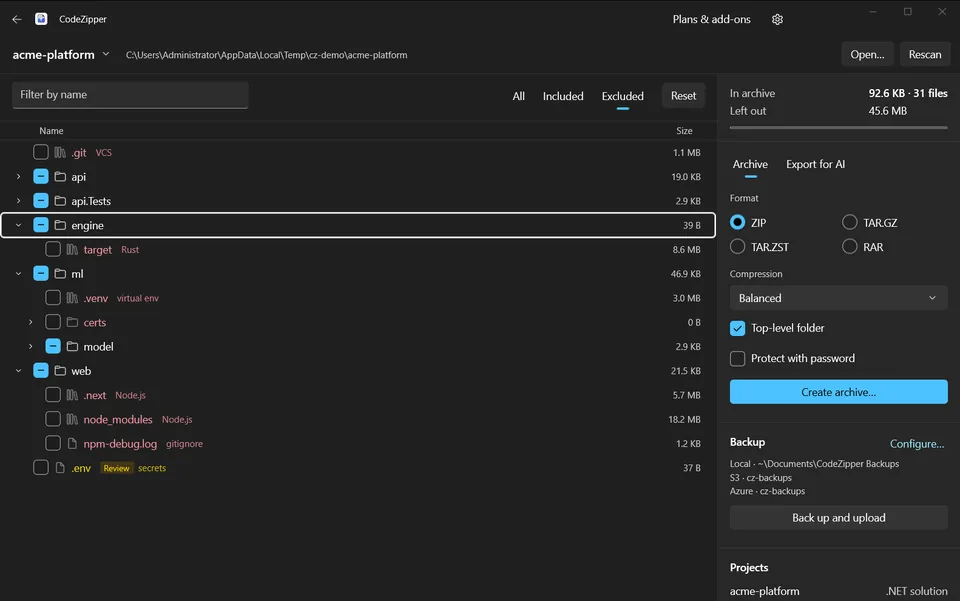
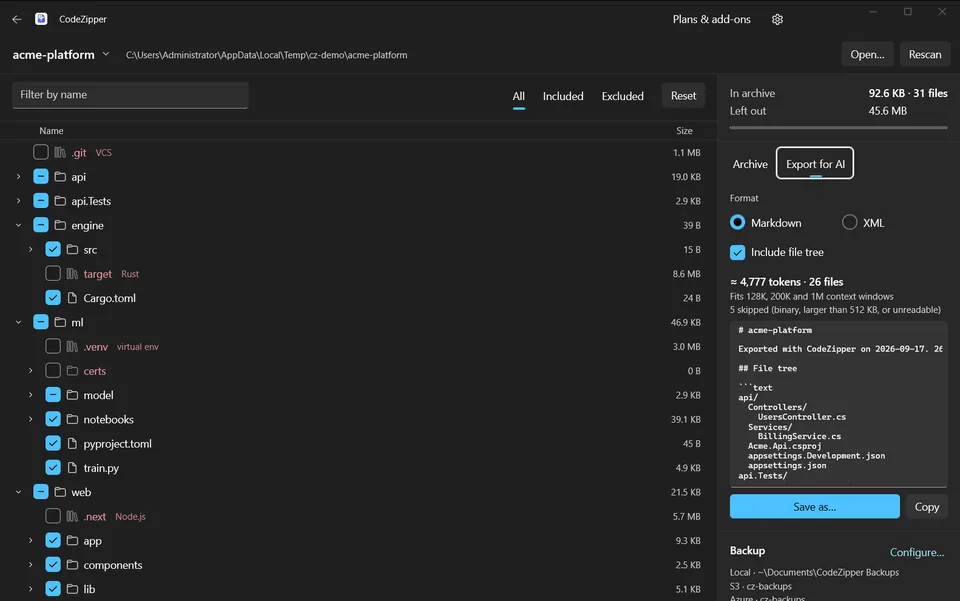
Nothing is guessed silently. A live file tree fills in as the scan runs: excluded files in red with the rule that excluded them, files worth a second look in amber, and the archive size updating as you tick things on and off. Then it writes a ZIP, TAR.GZ, TAR.ZST or RAR, entirely on your own PC.
Knows what to leave out
node_modules and .next for JavaScript, bin and obj for .NET, .venv for Python, target for Rust and Java, and 40+ project types more, applied per sub-project.
Shows you everything first
A live tree of every file, exclusions in red with the rule behind each one, and the archive size updating as you tick.
Secrets stay private
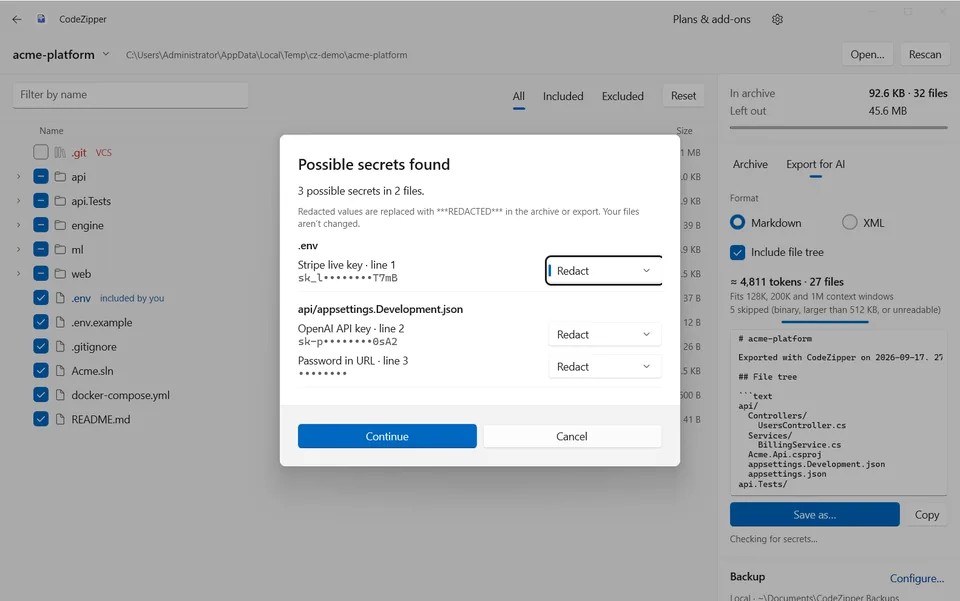
It checks for API keys, tokens and passwords before you share, redacts them in the archive, and can lock ZIP and RAR with AES-256.
Ready for AI tools
Save or copy the selected code as one Markdown or XML file, with a token count for 128K, 200K and 1M context windows.
A closer look
Everything it does
Scanning
- Reads every .gitignore, including nested ones in a monorepo
- Recognises 40+ project types and applies rules per sub-project
- Colour-coded tree with the reason for each exclusion
- Filter by All, Included or Excluded, and tick anything back in
Archives and backups
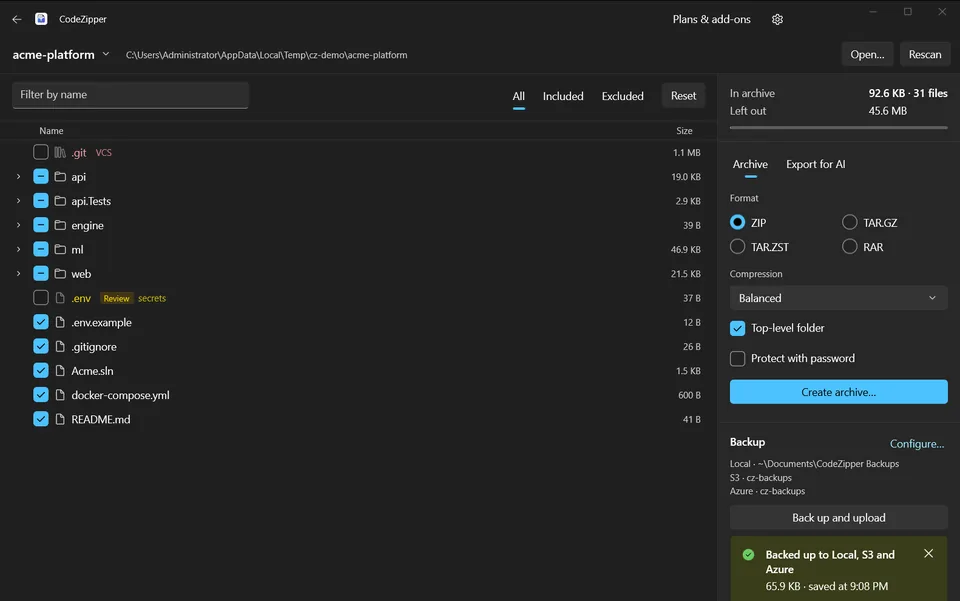
- ZIP, TAR.GZ, TAR.ZST and RAR (RAR needs WinRAR installed)
- Fastest, balanced or smallest compression
- One-click backup to a timestamped local folder
- Upload each backup to Amazon S3, S3-compatible storage or Azure Blob Storage
Sharing safely
- Finds API keys, tokens, private keys and passwords before you share
- Redacts them in the archive, leaving your files untouched
- AES-256 password protection for ZIP and RAR
- Cloud keys stay in the Windows Credential Locker
Free for 7 days, then $1.99 once
A one-time purchase, not a subscription. Optional add-ons: Stack Pack, AI Export, Security and Cloud Backup at $1.99 to $2.99 each, or all four for $7.99.
- Platform
- Windows 10 and 11, x64 and ARM64
- Category
- Developer tools
- Publisher
- Technocrux, on the Microsoft Store
- Legal
- Privacy policy and terms of use
More from DevRide
 WhisperFlowHold a key. Talk. Get clean text.
 CutePetsA companion that lives on your taskbar.
 ConverteXeConvert almost anything. Nothing leaves your PC.
 MeeteXeRecord the meeting. Get the email.
 RecordeXeRecord it. Polish it. Ship it.
 MindMapXThink out loud. It arranges itself.
 PomodoroProFocus while a masterpiece paints itself.
 HourlensSee where your hours go, without starting a timer.
 PostDeckWrite once, tailor per platform, get reminded on time.
 TallywiseAll your money in one private place.
 Lever PanicA trolley is coming. You have a lever.