
See where your hours go, without starting a timer.
An automatic time tracker for Windows. Hourlens notes which app and website is in front, once a second, and turns it into a clear picture of your day and week. Nothing leaves your PC.
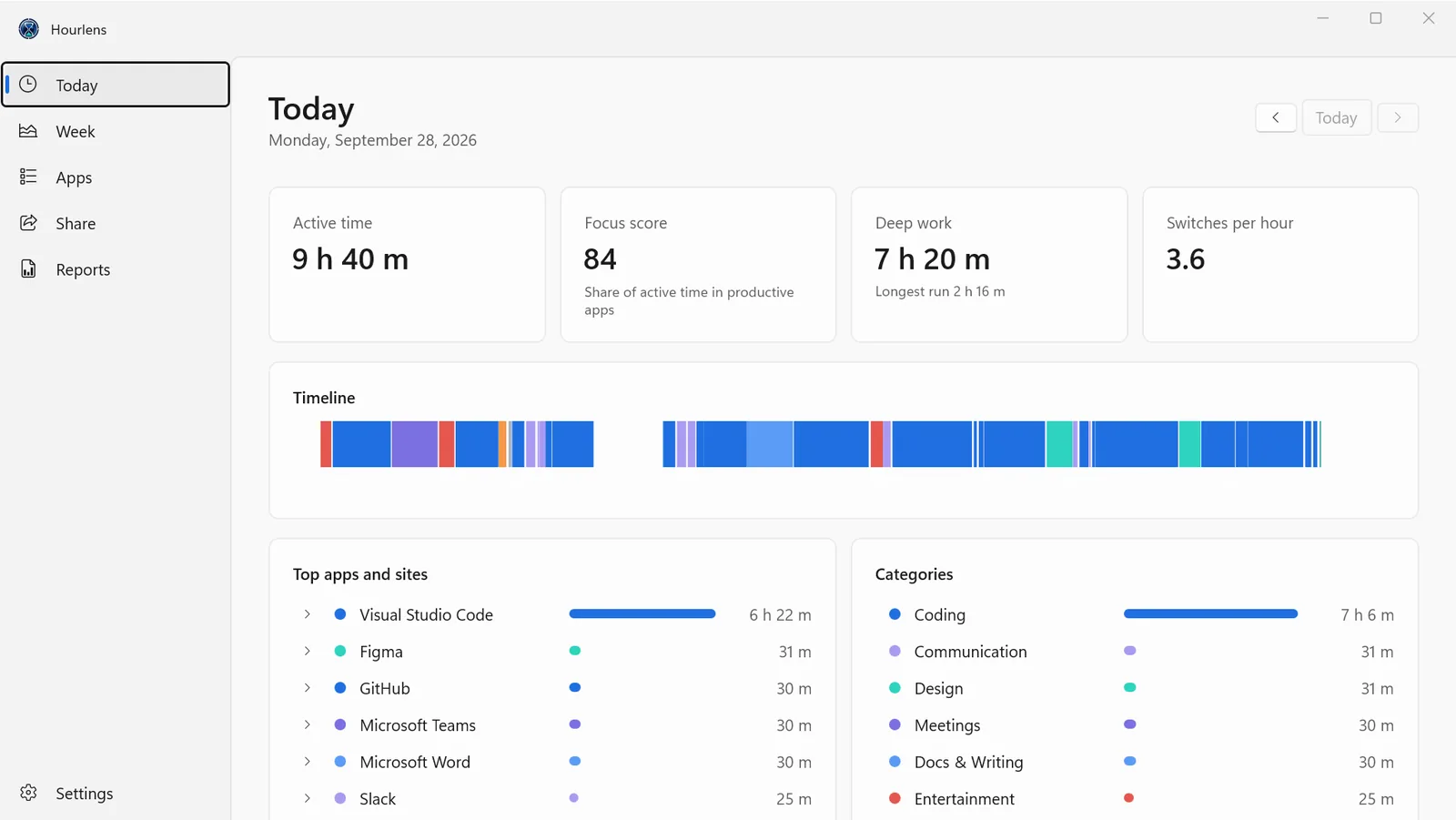
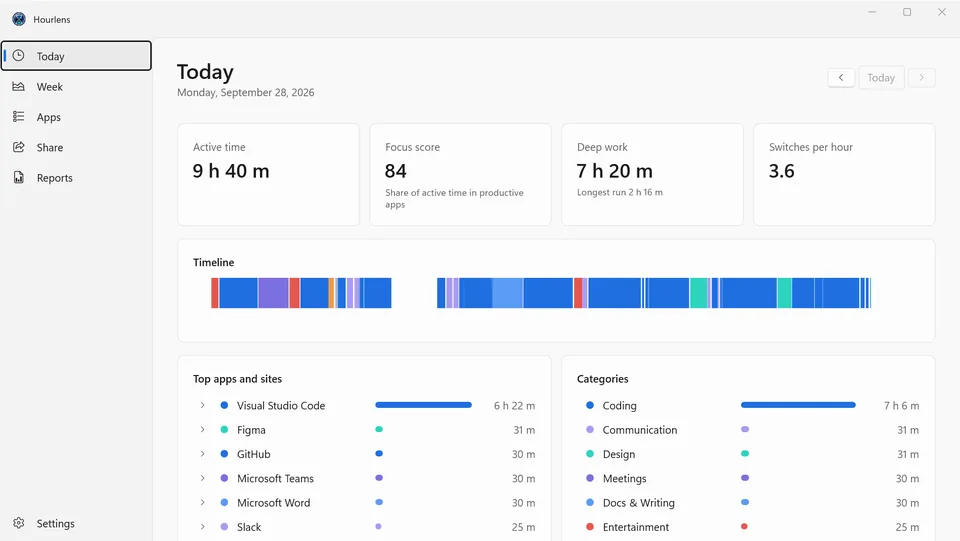
Hourlens runs quietly in the tray and notes which app is in front, once a second. At the end of the day you see a timeline coloured by category, your active time, a focus score, deep-work time and how often you switched. Idle time, the lock screen and sleep are left out automatically, and calls and videos keep counting while you watch.
Open any app to see where the time went inside it: the file in VS Code or a JetBrains IDE, the terminal tab, the Word document or the page within a website. It recognises 700+ apps and 130+ websites, exports any day, week or month as PDF, CSV or JSON, and makes a clean card of your week to post. No account, no servers, no subscription.
Nothing to start or stop
The app and website in front are noted once a second. Idle, lock screen and sleep are left out; calls and videos keep counting.
Files, tabs and pages
Time per file in VS Code or a JetBrains IDE, per terminal or Notepad tab, per Word document and per page within a website.
Reports and a card to share
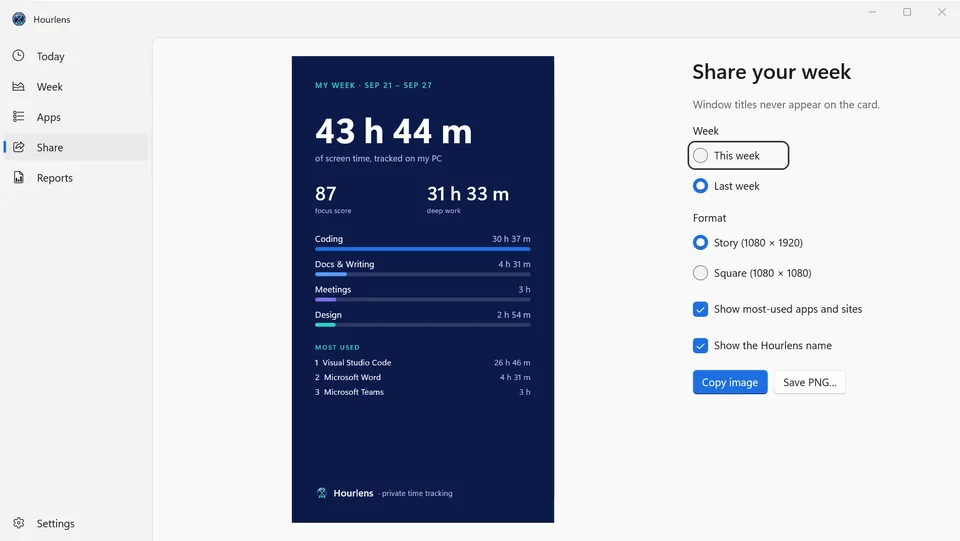
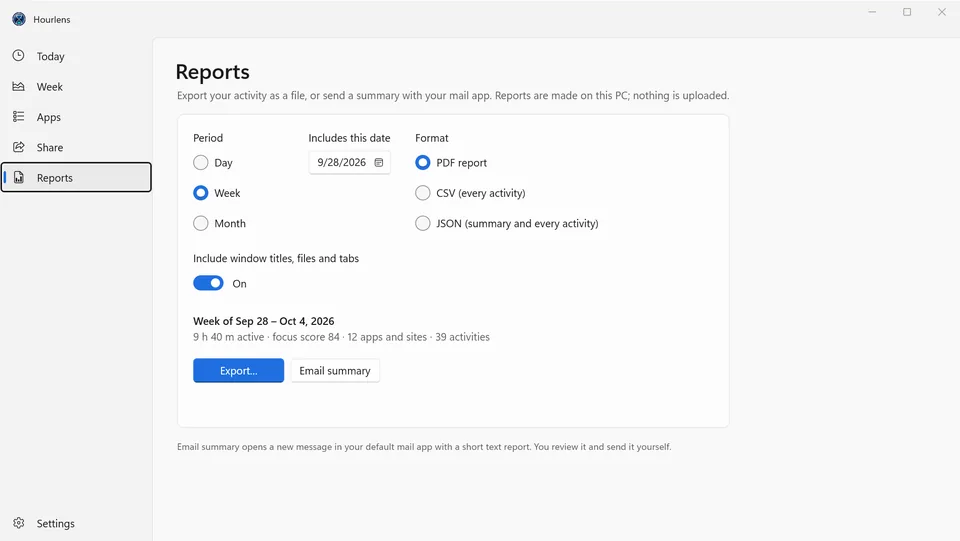
Export a day, week or month as a PDF report, CSV or JSON, email a summary from your own mail app, or post a story or square card of your week.
Nothing leaves your PC
No account, no servers, no telemetry. Turn off window titles, exclude any app or website, and delete your history at any time.
A closer look
Everything it does
Your day and week
- Daily timeline coloured by category, with active time, focus score, deep work and switches per hour
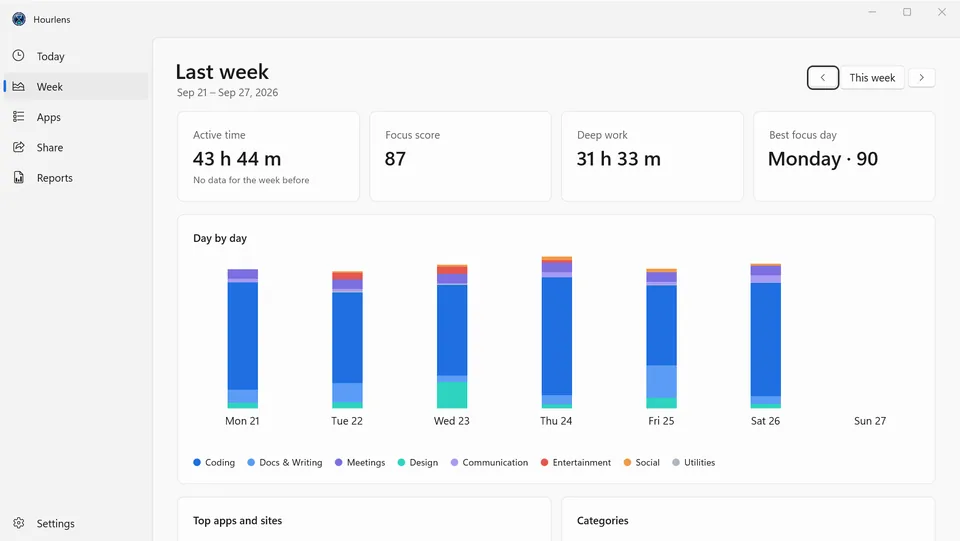
- Week view with stacked daily bars, totals and a comparison with the previous week
- Your best focus day and your top apps and sites
- Time per file, tab and page inside editors, terminals, Office apps and browsers
Tracking
- Recognises 700+ apps and 130+ websites out of the box
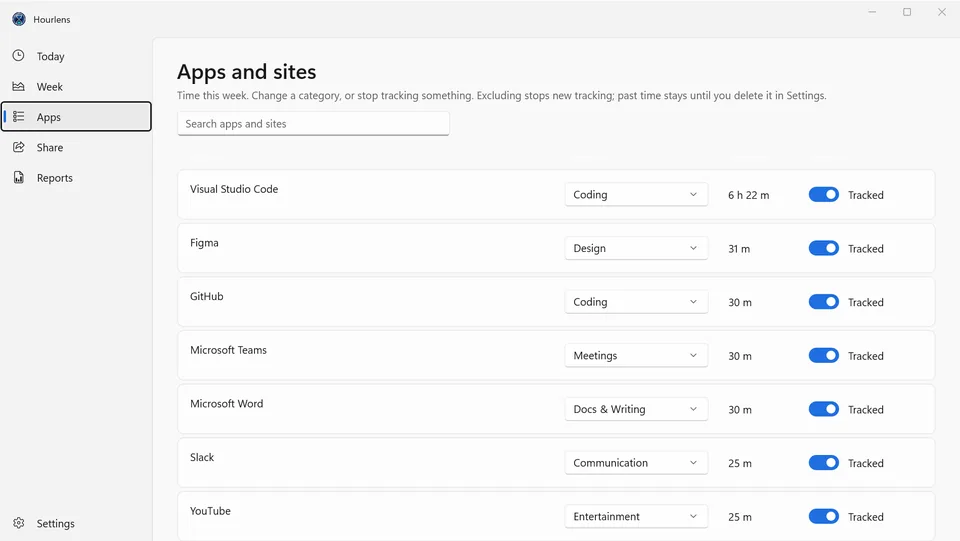
- Change any app's or website's category, or exclude it from tracking; past days update too
- Idle, lock screen and sleep time are left out; calls and videos keep counting
- Runs in the tray and starts when you sign in; pause for 30 minutes, an hour or until you resume
Reports and sharing
- Export a day, week or month as a PDF report, CSV or JSON
- Email a summary through your own mail app
- Weekly share card in story or square format, with no window titles on it
Privacy
- No account, no servers, no telemetry: your data never leaves this PC
- Optional window-title recording: turn it off and only app and site names are kept
- Choose how long to keep history, or delete everything at any time
- Light and dark themes that follow Windows
- Platform
- Windows 10 (2004) and 11, x64 and ARM64
- Category
- Productivity
- Publisher
- Technocrux, on the Microsoft Store
- Legal
- Privacy policy and terms of use
More from DevRide
 WhisperFlowHold a key. Talk. Get clean text.
 CutePetsA companion that lives on your taskbar.
 ConverteXeConvert almost anything. Nothing leaves your PC.
 MeeteXeRecord the meeting. Get the email.
 RecordeXeRecord it. Polish it. Ship it.
 CodeZipperZip your code, not its dependencies.
 MindMapXThink out loud. It arranges itself.
 PomodoroProFocus while a masterpiece paints itself.