The Email I Wrote Without Typing
We think in sentences and type in fragments. On voice dictation, the words that trip it up, and keeping your own voice on your own computer.
A note before we start: I'm part of Technocrux, the team behind WhisperFlow. This is what it's like to use, written as honestly as I can, including where it stops.
You know exactly what you want to say.
The reply to the client is fully formed in your head: thank them for the call, confirm the report is on its way, suggest a couple of times next week. Thirty seconds of talking, if you could just say it.
Instead you type it. Stop. Delete a word. Fix a typo. Check the tone. Twelve minutes later you hit send, and somewhere in there you lost the thread of the thing you were actually working on.
Most of us speak about three times faster than we type. We still type nearly everything, because voice typing on a computer has always been a bit of a hassle. It only works in some apps. It needs the cloud. It fills your sentences with "um".
Hold a key, say it, let go
WhisperFlow works in a way that's almost too simple to describe. Put your cursor wherever you'd type: an email, a chat, a code editor, a browser form. Hold Ctrl and the Windows key, say what you mean, and let go.
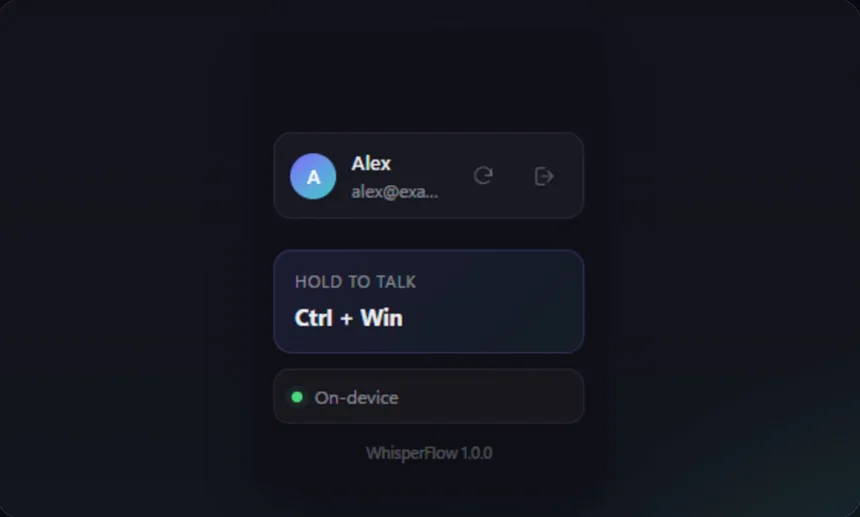
The text appears where your cursor is, with punctuation, without the "ums". For longer thoughts, tap the key instead of holding it, and WhisperFlow keeps listening until you tap again.
That client reply? Thirty seconds, and a quick read before sending.
Everywhere, not just in one box
The thing that makes dictation stick isn't accuracy. It's not having to think about where you're allowed to use it.
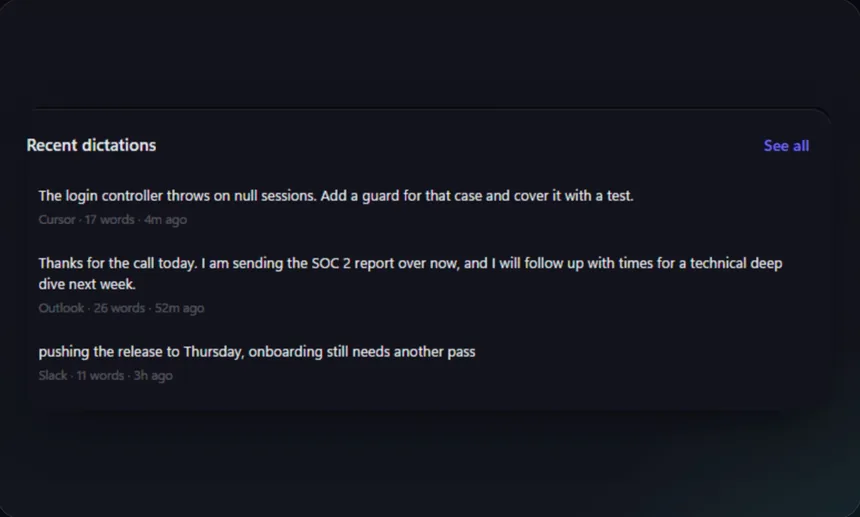
A note to yourself in the code editor. The client email. A quick status update in Slack. It's the same key and the same habit, so after a day or two you stop noticing you're doing it. That's when it really starts to save time.
Your voice stays in the room
Speech recognition in WhisperFlow runs on your own computer, using whisper.cpp, an open-source version of OpenAI's Whisper model. The tidy-up step that removes filler words and fixes punctuation is a set of simple rules, not an AI model on someone else's server.
So your voice, your dictations and your history never leave your machine. Once it's set up, it works on a plane, on bad hotel Wi-Fi, or on a work laptop where cloud tools are blocked.
That choice has one side effect worth being upfront about. WhisperFlow won't rewrite your sentences into something smarter. It types what you said, cleaned up. Personally, I think that's what dictation should do. Your words should still sound like you.
It learns the words that matter to you
Every voice typing tool stumbles on the same things: your colleague's surname, your company's product, the acronym your team says forty times a day.
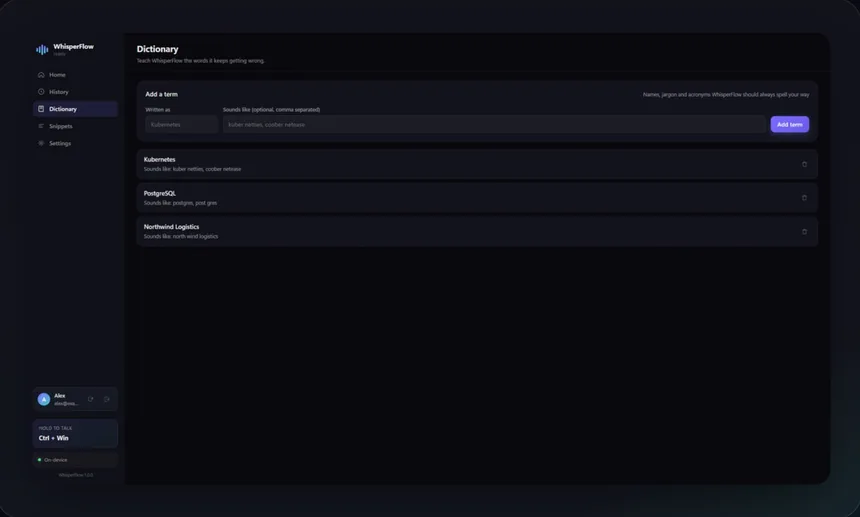
Add them to your dictionary once and WhisperFlow gets them right. Snippets go further: say a short phrase and it expands into your address, your email signature, or a paragraph you'd otherwise type ten times a week. Say "scratch that" to throw away what you just said, or "bullet that" to turn it into a list.
If you sign in, your dictionary, snippets and settings follow you to your other PCs. What you actually dictate is never synced.
Where it stops
Like any speech recognition, it's only as good as what it can hear. A decent headset beats a laptop microphone in a busy café. There's a one-time setup to install the speech engine before offline dictation works. And after a seven-day free trial, it's a small monthly subscription.
The quieter win
People expect the benefit of dictation to be speed, and it is faster. But the thing people tend to notice first is different. They stop losing their train of thought.
The email gets said, not assembled. You're back in the thing you were doing before the interruption finished interrupting you.
For anyone living with RSI or wrist pain, or anyone who finds long typing sessions hard, that quieter win can matter a lot more.
WhisperFlow is on the Microsoft Store for Windows.