The Idea Was Gone by the Time I Drew the Box
On messy thinking, whiteboards that don't keep up, and a mind map you can build without ever reaching for the mouse.
A note before we start: I'm part of Technocrux, the team that makes MindMapX. This is the story of the problem behind it, and an honest look at using it.
There's a particular moment when a problem finally starts to make sense.
You're planning a launch, say, and the pieces begin to connect. Research leads to pricing. Pricing depends on the build. The build has three things nobody has scheduled. The ideas come faster than you can hold them.
So you open a mind mapping app. You click to add a box. Drag it into place. Draw a line to the right parent. Nudge two other boxes out of the way. Pick a colour, because it's there.
And the thought you were having? Gone.
Most diagram tools are made for drawing, which is fine when you already know what you think. They're less good at the moment when you're still working it out.
Tab. Enter. Keep going.
MindMapX starts from a different assumption: when you're thinking, your hands should stay on the keyboard.
Type the central idea. Press Tab to add a thought underneath it. Press Enter to add the next one alongside. Keep typing. The map arranges itself as you go, so you never stop to line anything up.
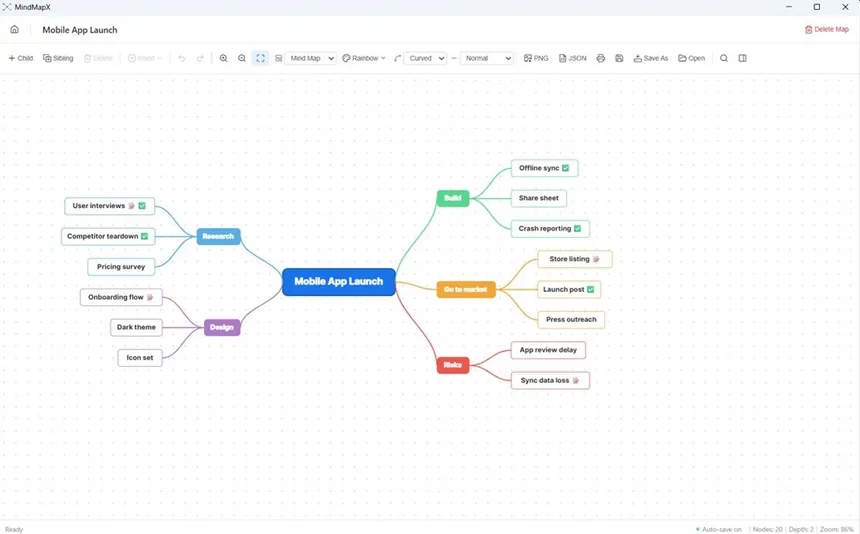
F2 renames a topic. The arrow keys move around the map in the direction you'd expect. Ctrl+Z undoes. If you've ever outlined in a notes app, it feels familiar within a minute. The difference is that you can see the shape of the problem, not just a longer and longer list.
When the question is "why did this happen?"
Not every problem is a brainstorm. Sometimes something broke, and you need to find out why.
Checkout failures went up 12% last week. Was it the payment provider, the new release, a browser update, or something in how people reach the page?
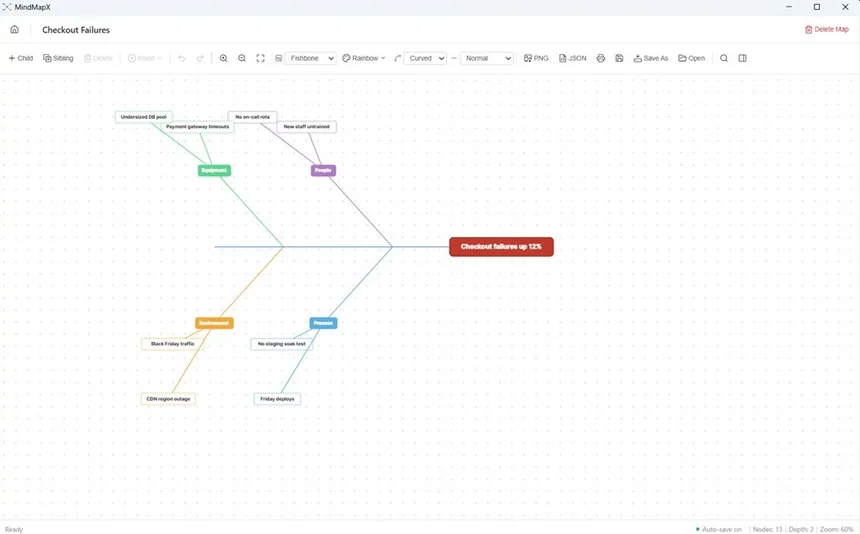
That's a job for a fishbone diagram, also known as an Ishikawa diagram. MindMapX draws a real one, with a spine and angled bones, not a mind map with a different colour scheme. You can switch the same ideas between a mind map, a tree chart, an org chart and a fishbone at any time, without rebuilding anything.
If you run incident reviews, quality checks or post-mortems, that one layout is harder to find in a lightweight tool than it should be.
From thinking to doing
At some point the map stops being ideas and starts being work. That's usually where it gets copied, badly, into a separate task list and forgotten.
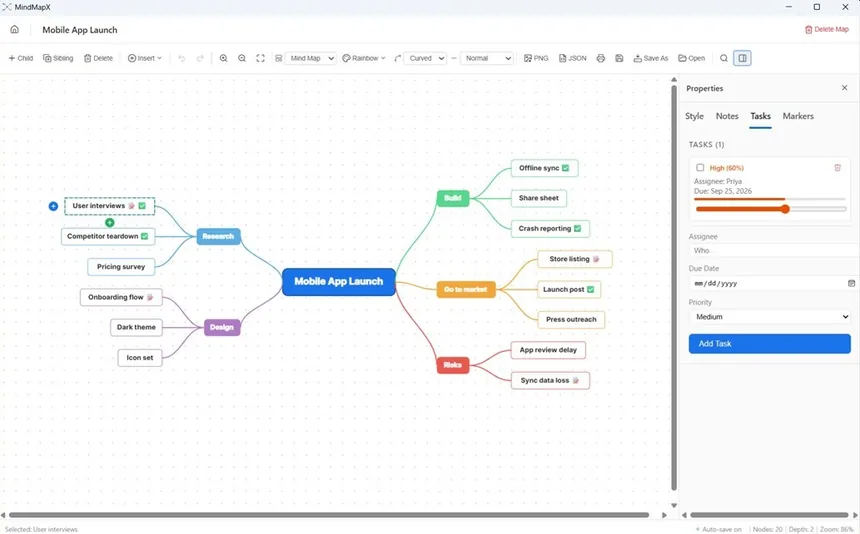
In MindMapX, any topic can hold a task with an assignee, a due date and a priority. It can also hold notes, an image from your PC, or a voice note of up to 30 seconds, for the thought you'd rather say than type. Live search highlights every match once the map outgrows your screen.
Your map is a file you can keep
Maps are saved on your computer as .mflow files, which are plain, readable JSON. You can back them up, put them in a synced folder, or keep them in version control. It auto-saves every 30 seconds, and you can export a PNG or print when you need to share.
After years of notes locked inside other companies' clouds, a readable file on my own drive feels like a small kindness.
Where it stops
It's a personal thinking tool, not a shared whiteboard, so don't expect several people editing the same map at once. Exporting is PNG and print only for now. Voice notes are capped at 30 seconds. It's Windows only. After a seven-day free trial with no card needed, it's $0.99 a month or $8.99 a year.
Back to that moment
The best thing a thinking tool can do is disappear. You shouldn't be aware of boxes, lines or alignment, only of the problem slowly becoming clear.
Next time the pieces start connecting, open a blank map, type the thing that's bothering you, and press Tab a few times. See how far you get before you need the mouse.
MindMapX is on the Microsoft Store for Windows.