"Wait, Who Said They'd Do That?"
Every meeting ends with the same fog. Here's what it's like when the notes write themselves and never leave your computer.
A note before we start: I'm part of Technocrux, the team that makes MeeteXe. I've tried to write about it the way I'd talk about it with a friend, including the bits that aren't perfect.
The call ends at 3:58. Everyone says "great, thanks all" and drops off within the same second.
You sit there for a moment. It was a good meeting. Decisions were made. You're fairly sure someone agreed to set up the DNS records, and you think the deadline was end of October, or was that the other project? You meant to take notes, but you were busy actually talking.
By Friday, three people remember three different versions of it.
The meeting, written down
MeeteXe doesn't join your call as a bot or ask anyone to install anything. You press record on your own PC, or drop in a recording you already have. When it's done, the whole conversation is there, line by line, with timestamps.
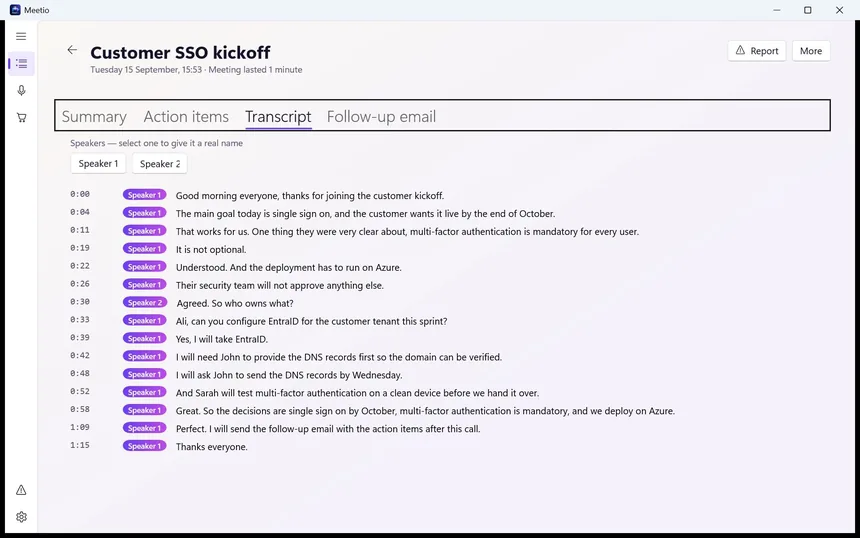
It works out who was speaking and labels them. They start as "Speaker 1" and "Speaker 2". Click one, type "Ali", and every line from Ali updates. On calls where people talk over each other, you might still need to check a name or two. Anyone who's tried to take minutes by hand knows that's still far easier than the alternative.
What was actually decided
A transcript is useful, but nobody wants to read one. So MeeteXe also writes the part you'd have written if you'd had the time.
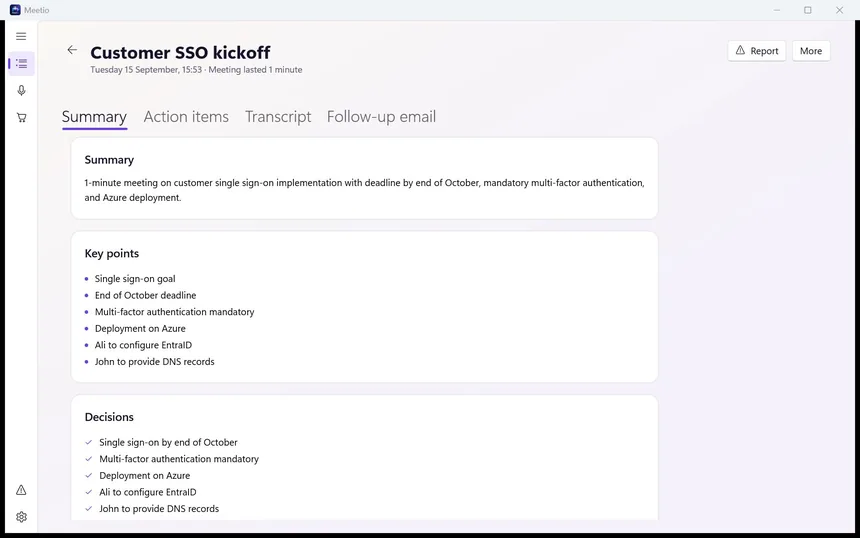
There's a short summary, then key points, then decisions, and they're kept separate for a reason. "We talked about deploying on Azure" and "We decided to deploy on Azure" look similar in a notebook. They mean very different things two weeks later.
The Friday problem, solved
And then the question that started all this.
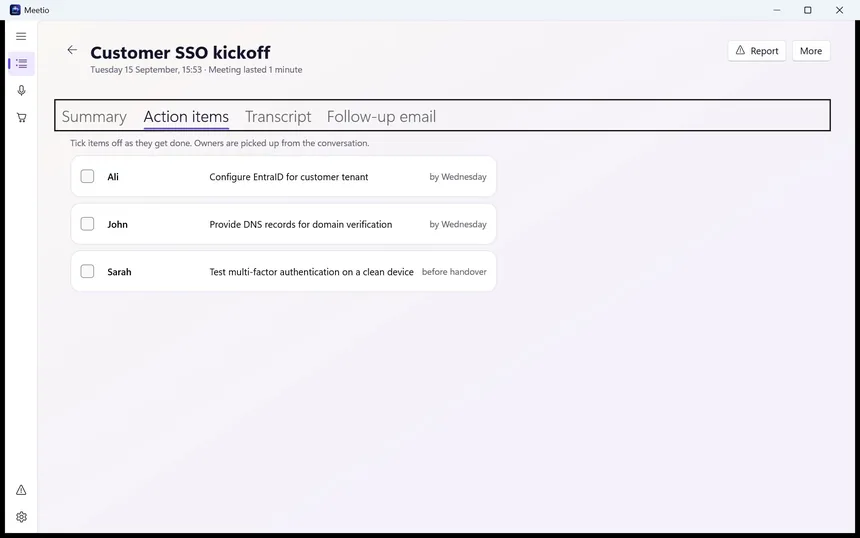
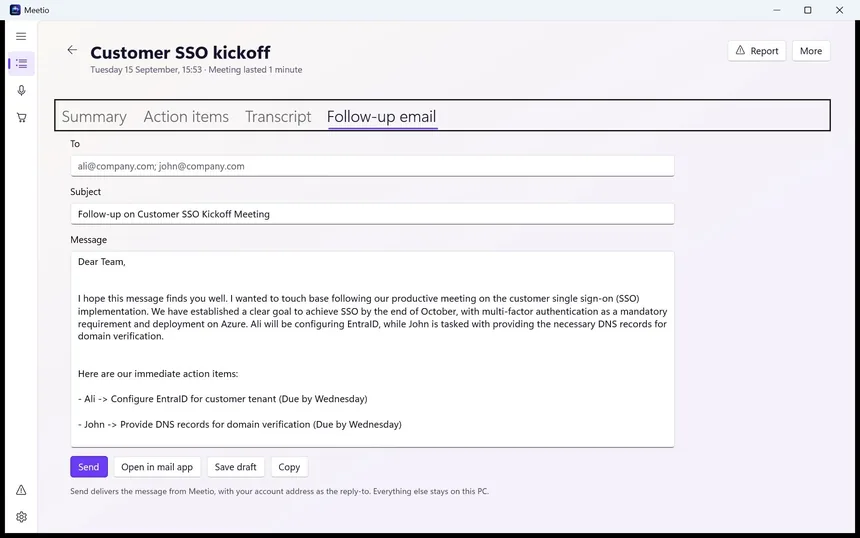
Ali is configuring EntraID by Wednesday. John is providing the DNS records by Wednesday. Sarah is testing multi-factor authentication before handover. No one has to remember. No one gets to remember differently.
The last tab is my favourite, because it's the task everyone means to do right after a call and then forgets until the next morning.
Why it stays on your PC
Here's the part that matters most to us, and probably to you if you work anywhere near legal, HR, healthcare, finance or client work.
Most AI meeting tools send your recording to a server to be processed. That means salary conversations, customer names and unreleased plans sit on someone else's computer. MeeteXe does the transcription and the summaries on your own machine. The AI models download once during setup, and after that it works with the network unplugged.
That choice has a cost, and it's fair to say so. MeeteXe is a big install, and speed depends on your hardware. With a dedicated graphics card, an hour-long meeting usually takes about a minute. An older laptop running on its processor alone will take noticeably longer. You can pick a smaller, faster model or a larger, more accurate one in Settings.
One more thing local processing doesn't change: tell people you're recording. Keeping the audio private is MeeteXe's job. Asking first is still yours.
The practical bits
The first seven days are free, with no card needed, for meetings up to 30 minutes. After that, Pro is $2.99 a month and handles meetings up to three hours. If you stop paying, the meetings you've already processed stay on your PC and stay readable. Your notes don't disappear with the subscription.
3:58, again
Picture the same meeting, the same "great, thanks all," the same quiet second after everyone drops off.
Only this time, a minute later, the decisions are written down, the owners are named, and the email is drafted. You read it once, fix one line, and send it before your coffee's gone cold. On Friday, everyone remembers the same meeting.
MeeteXe is on the Microsoft Store for Windows.